Travel Planner User Manual
note: Creating a planner is only available for premium members.
1. Creating a New Trip Planner
The journey begins here! When you first create a new trip planner, you are presented with a clean, welcoming interface designed to help you start organizing your next adventure. This is your starting point for all your travel preparations.
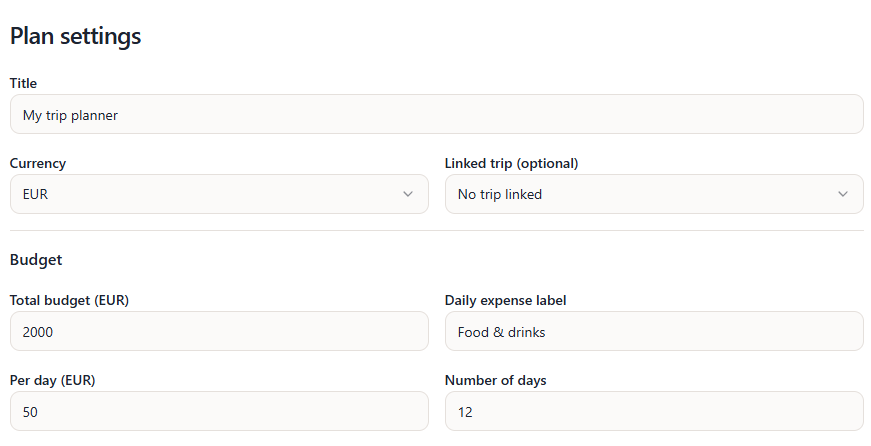
Pro Tip: You can also link a planner to an existing trip you have already created on the site, making it easy to keep all your travel details in one organized place.
2. Setting Your Budget
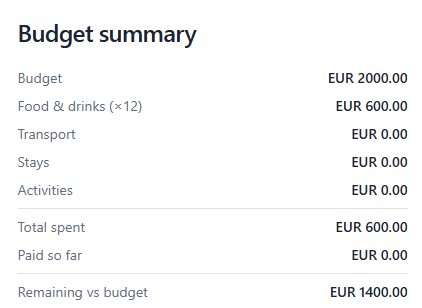
A successful trip requires good financial planning. In this step, you can define your initial budget. As you can see in the image, once you set your budget, it is prominently displayed in your overview, allowing you to keep track of your spending limits from the very beginning.
3. Adding Transportation
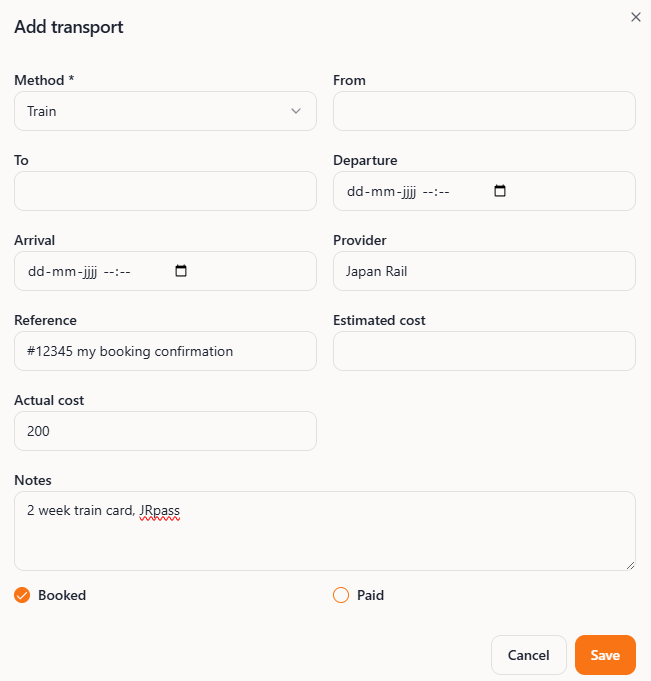
Getting from point A to point B is crucial. The planner makes it easy to add various transportation methods to your itinerary. For instance, you can quickly add a flight or a train journey.
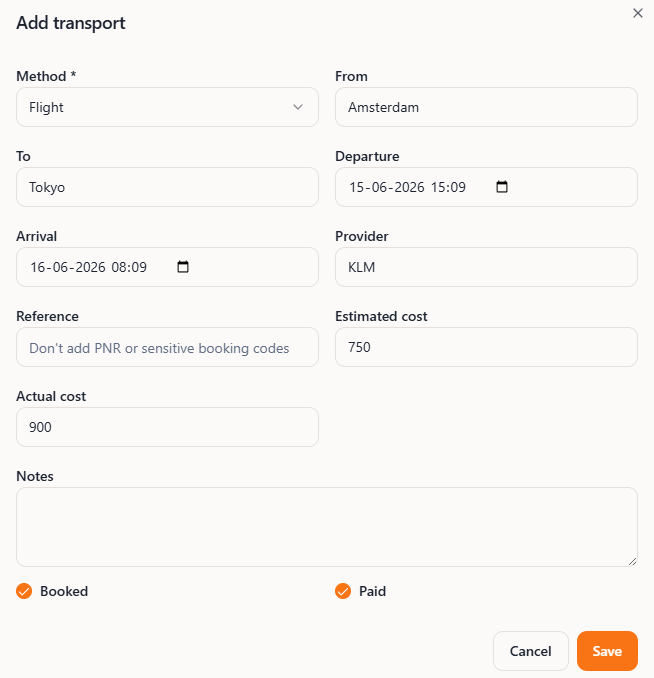
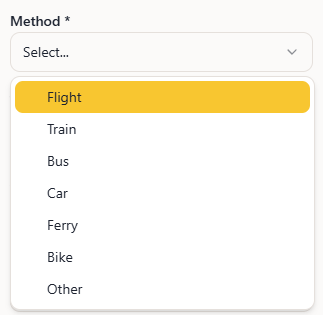
To ensure you find the best way to travel, you can browse through a variety of transportation options, such as buses, car rentals, or even ferries, all available through a simple selection menu.
4. Transportation Overview
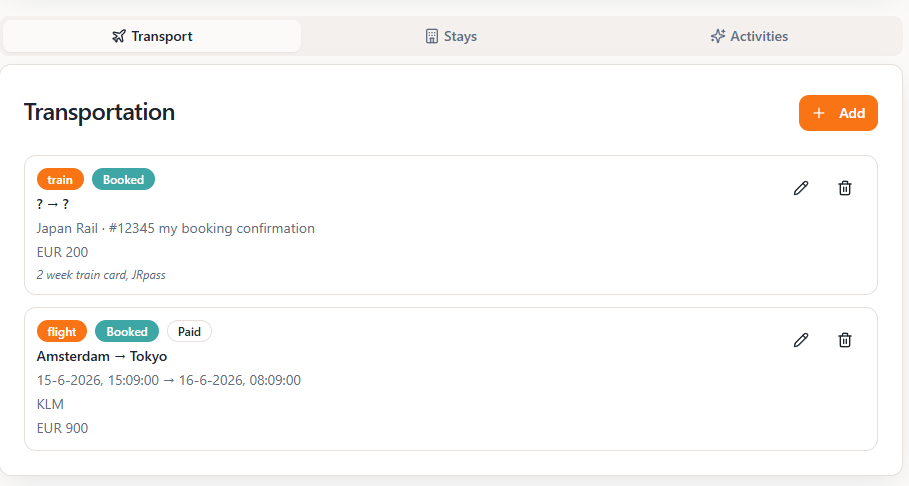
Once you have configured your travel routes, the planner automatically organizes them for you. The transportation overview section provides a clear, consolidated list of all your planned flights, trains, and other transit methods, so you can see your entire travel route at a glance.
5. Adding Stays
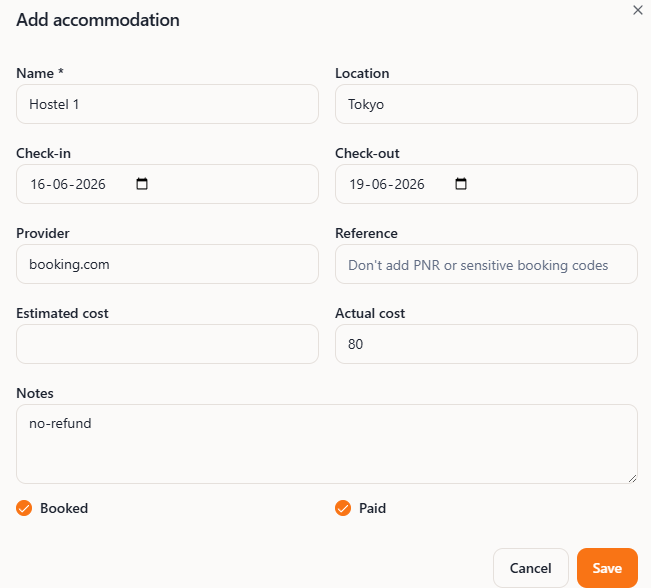
Every great trip needs a place to rest. The planner provides a user-friendly form where you can add accommodations (stays) to your itinerary. Simply enter the details of your hotels, hostels, or rentals to ensure your lodging is part of your master plan.
6. Adding Activities
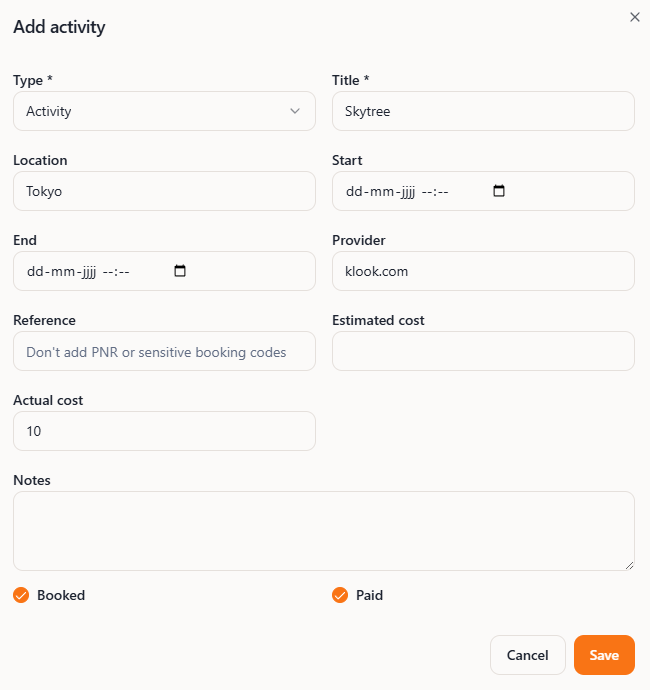
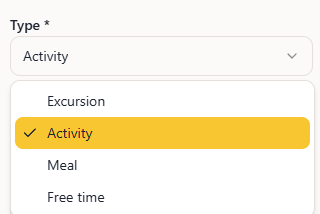
No trip is complete without exciting things to do! You can easily add activities, tours, or landmarks to your itinerary. The activity form allows you to specify the details of each event and choose from a variety of pre-defined activity options to enrich your travel experience.
7. Budget Overview
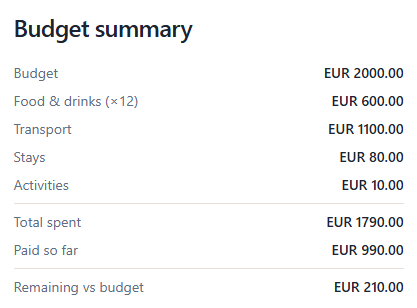
The real magic happens here. As you add transportation, stays, and activities, the planner's budget overview dynamically updates. It calculates the total estimated cost of all your planned trip components, giving you a real-time view of your total projected expenses. This helps you stay on track and make informed decisions about your travel plans.